Get PDF bills from your carrier
Have your carrier email the bill itself, not just a link, with general notes for Bell, Rogers, Telus, Fido, Virgin Plus, Freedom Mobile, Videotron, Cogeco and Shaw.
In the app:Bill inbox
On this page
The bill inbox reads bills that arrive as attachments. Many carriers can email the PDF with each bill, but some only send a "your bill is ready" email with a link to their website. Those emails show in Recent emails as Link only, no PDF, and no bill is created. This guide shows how to get the bill itself, and what to do when your carrier only offers a link.
Send bills straight to your inbox
The simplest setup skips your mailbox altogether: give your carrier your bill inbox address.
- Copy your address from Settings → Bill inbox (see Your bill inbox).
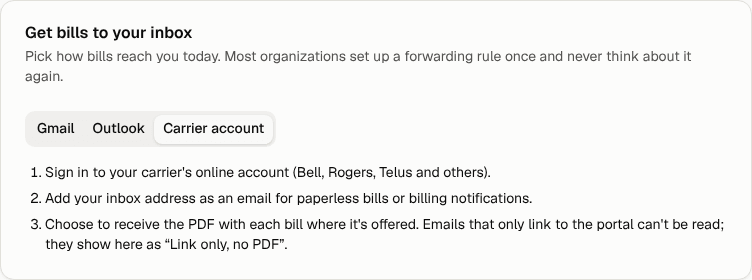
- Sign in to your carrier's online account for business.
- Look for paperless billing, e-bill or billing notifications settings, usually near your billing or profile details.
- Add your inbox address as the email for bills or billing notifications. Many carriers let you keep your own address as well.
- Where it's offered, choose to receive the PDF attached to each bill email.
Menu names change often and differ between personal and business accounts, so we don't list exact paths. If you can't find the setting, your carrier's business support line can tell you whether PDF attachments are available on your account.
Tip: If you'd rather keep bills going to your own mailbox, leave the carrier as it is and add a forwarding rule. See Set up forwarding from your mailbox.
If your carrier only sends a link
You have three options:
- Download and forward or upload. Open the link, download the PDF from the carrier's site, then upload it on Upload bills or email it to your inbox as an attachment. The Link only, no PDF entry in Recent emails has an Open the link from the email shortcut.
- Use a spreadsheet export. Most business portals can export billing detail as CSV or Excel (XLSX). Conduit TEM recognises exports from Bell, Rogers and TELUS business portals and reads them directly. It also reads most other spreadsheets that have a table of charges with a description and an amount column; anything else goes to Conduit AI. Upload the file or email it to your inbox.
- Ask for PDF attachments. Some carriers turn them on for business accounts on request.
Spreadsheet exports often carry more detail than the PDF, such as cost centres, sites and sub-accounts for every line, which helps each line find its location.
Notes for Canadian carriers
These notes are general. What you see depends on your account type (business or personal, large or small business) and changes from time to time.
| Carrier | What to look for |
|---|---|
| Bell | Many business accounts can get e-bills by email. Look for paperless or e-bill settings in your Bell business account and choose to receive the PDF if offered. Bell business portals can also export billing detail as CSV, which Conduit TEM reads directly. |
| Rogers | Look for paperless billing or bill notification settings in your Rogers business account. If you only get a link, download the PDF or export the billing detail; Rogers business exports are read directly. |
| Telus | Look for e-bill or paperless settings in your TELUS business account. TELUS business exports (CSV or Excel) are read directly, which is a good option when emails only carry a link. |
| Fido | Fido is owned by Rogers. Bill emails are often a notice with a link; if so, download the PDF from your Fido account and upload or forward it. |
| Virgin Plus | Virgin Plus is owned by Bell. If bill emails only link to your account, download the PDF and upload or forward it. |
| Freedom Mobile | Look for paperless billing in your Freedom account. If you only get a link, download the PDF and upload or forward it. |
| Videotron | Look for e-bill or paperless settings in your Videotron business account. If the email only links to the bill, download the PDF and send it in. |
| Cogeco | Look for paperless billing in your Cogeco account. If you only get a notice, download the PDF from the account and send it in. |
| Shaw | Shaw is now part of Rogers, and some Shaw Business accounts have moved to Rogers billing. Check whichever account your bills now come from, and follow the Rogers note if they've moved. |
For any carrier: a bill that arrives as a PDF attachment is read by Conduit AI. A carrier spreadsheet export is read directly. A link on its own can't be read.
Paper bills
Have a paper bill? Take a clear photo or scan and email it to your inbox (JPG or PNG), or upload it on Upload bills. Photos under about 40 KB are treated as logos and skipped, so send a full-size picture.