People
Keep a list of the people who use your lines and devices, assign services to them, and catch lines still billed after someone leaves.
In the app:People
On this page
The People page lists who uses which lines and devices, where they sit and what their services cost each month. Assigning services to people lets you see cost by department or site, and it catches the classic leak: a line still billed months after its user left.
People here are the employees who use your services. They're separate from the members who sign in to Conduit TEM (see Invite your team).
See who uses what
Select People in the side menu.
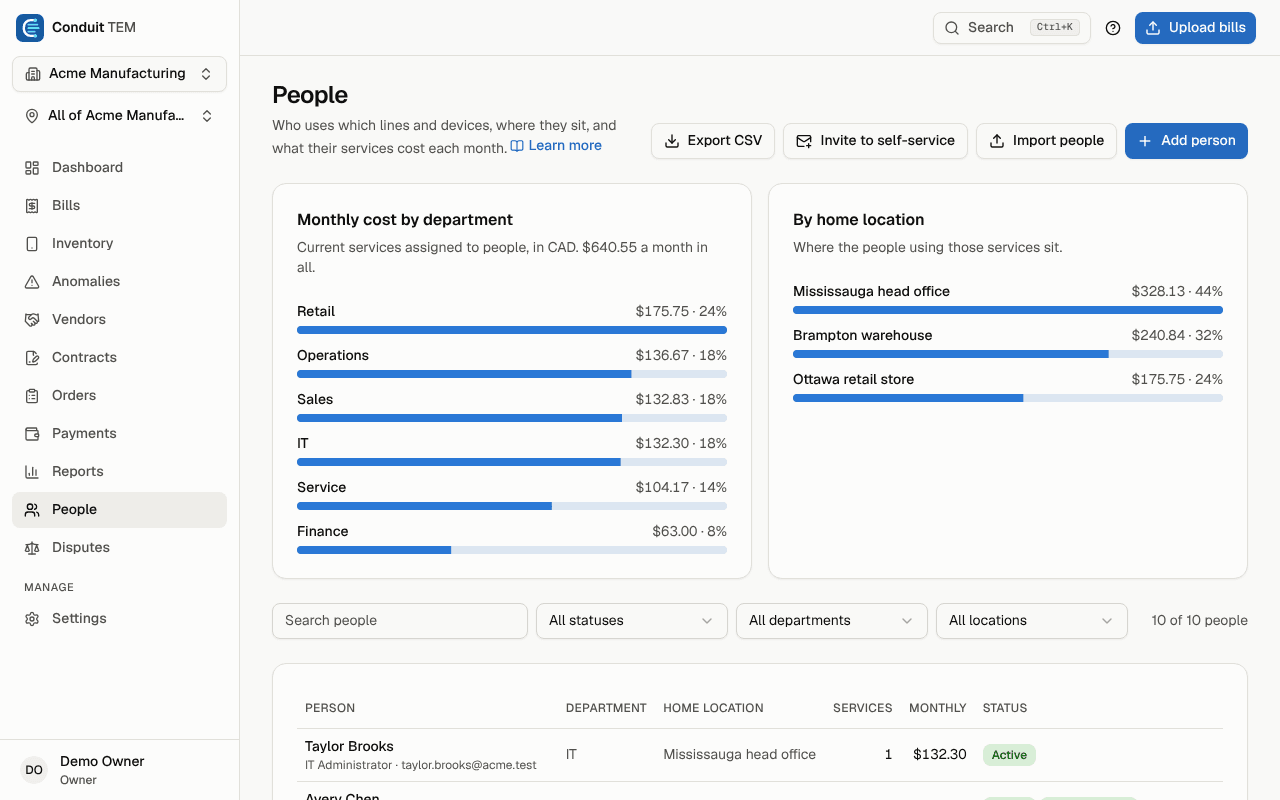
- Monthly cost by department totals the current services assigned to people.
- By home location shows where those people sit. It only appears when your company has more than one location.
- The table lists each person with their department, home location, number of services, monthly cost and status. In a narrow window, the department, home location and services columns are hidden to keep the table readable; widen the window or open the person to see them.
- If someone was invited to employee self-service, the status column also shows Invited, Has access or Access removed.
Search by name, or filter by status, department or home location. The status filter has a Left, still has services option that lists leavers who still have services assigned.
Add a person
Anyone except viewers can add people.
- Select Add person.
- Fill in First name and Last name (both required), and optionally Email, Title and Department.
- If your company has several locations, choose a Home location.
- Select Add person.
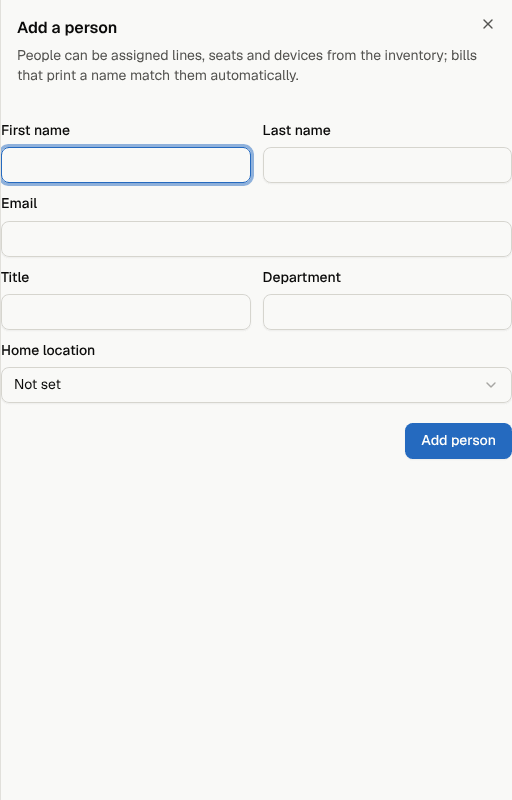
If any unassigned service has this person's name printed on the bill, it's assigned to them automatically.
To add many people at once, use Import people. See Import people from HR or your phone system.
Edit a person
Select a person in the table to open their details. Change any field and select Save changes.
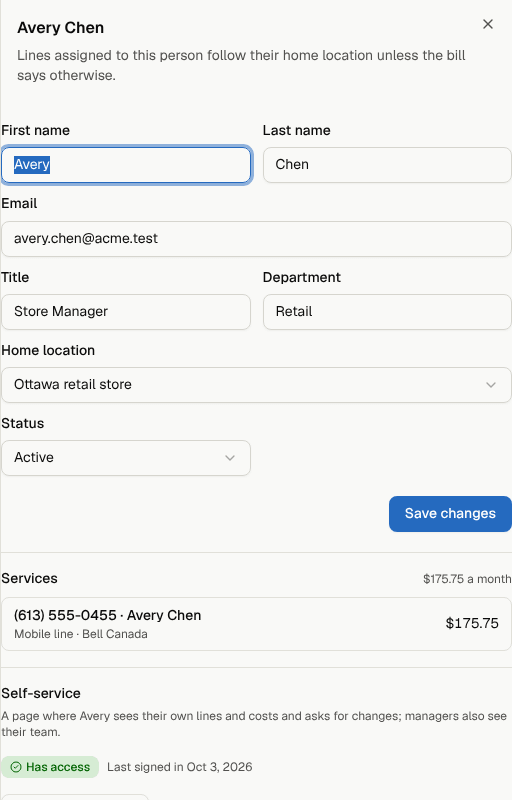
The Services list shows everything assigned to them and the monthly total. Select a service to open it in the inventory.
A person's home location matters for bills: a line assigned to them goes to their home location when nothing more specific on the bill places it. See Company structure.
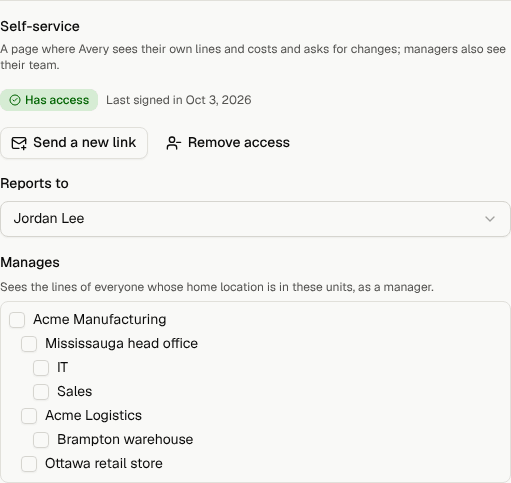
Owners and admins also see a Self-service section at the bottom of a person's details: whether they have self-service access, Invite to self-service (or Send a new link and Remove access), Reports to (their manager), and Manages (the locations whose people they see as a manager). See Employee self-service.
Assign lines and devices
You assign services from the inventory, not from the person:
- Go to Inventory and select the service.
- Under Assigned to, choose the person. Choose Unassigned to clear it.
You can also choose Add a person… in that list to create someone and assign the service in one step. Assignments can also come from a people import with phone numbers or extensions.
Bills that print a user's name match people automatically when the name is the same.
When someone leaves
- Open the person and set Status to Left the company.
- Enter their Last day.
- Select Save changes.
Their services stay assigned to them on purpose, so nothing is lost. The person shows a still has services badge, and the sheet reminds you how many services are still assigned. Open each one from the Services list and reassign it, suspend it or disconnect it through Request a change, so nobody keeps paying for a line no one uses.
Use On leave for someone who's away but coming back. To bring someone back, set their status to Active again.
People can't be deleted, so the history of who had which line is kept.
Invite people to self-service
Employee self-service lets people see their own lines, devices and costs, and ask for changes, without a Conduit TEM account. Owners and admins select Invite to self-service at the top of the People page to invite several people at once. It's off until an owner or admin turns it on under Settings → Organization. See Employee self-service.
Export the list
Select Export CSV to download everyone you can see, with their details, home location, number of services and monthly cost.
Who can do what
- Owners, admins, finance and analysts can add and edit people.
- Members limited to one location or division can only add and change people in their part of the company.
- Viewers can look and export, but not change anything.
- Only owners and admins invite people to self-service and set reporting lines.