Disputes and credits
Ask a vendor for money back over a finding, track the dispute, and let the next bill confirm the credit by itself.
On this page
A dispute records a credit you've asked a vendor for because of a finding: a duplicate charge, a late fee you shouldn't have paid, a rate above your contract. Conduit TEM tracks it until the money comes back. When a later bill carries the credit, the dispute closes by itself.
Anyone except a viewer can open and update disputes.
Open a dispute from a finding
Disputes always start from a finding, so the evidence comes with them.
- Go to Anomalies and select the finding.
- Select Dispute with vendor.
- Check Credit expected. It starts at the finding's estimated impact. Change it if you're asking for a different amount.
- If the vendor already gave you a case or ticket number, enter it under Vendor case or ticket number.
- Turn on Already sent to the vendor if you've already raised it with them. Leave it off if you still have to.
- Select Open dispute (or Record dispute if it's already sent).
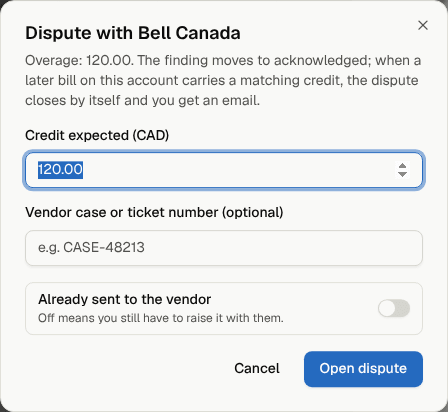
The finding moves to Acknowledged and shows the dispute in its details. A finding can have one active dispute at a time. If a dispute is rejected or withdrawn, you can open a new one.
Raise it with the vendor
Conduit TEM doesn't contact the vendor for you. Call them, use their online account, or email your account rep. Give them the invoice number, the charge and the amount. Explain with Conduit AI on the finding gives you a plain-language summary you can reuse.
Then record what happened:
- Go to Disputes and select the dispute.
- Under Where it stands, set Status to Sent to vendor and enter the Vendor reference.
- Select Save.
Dispute statuses
| Status | Meaning |
|---|---|
| Open | Recorded here, not yet raised with the vendor. |
| Sent to vendor | Raised. Waiting for their answer or the credit. |
| Credited | The credit arrived. The finding is resolved. |
| Rejected | The vendor said no. The finding is closed as resolved. |
| Withdrawn | You dropped it. The finding is closed as resolved. |
A credited dispute is final and can't be changed.
Track your disputes
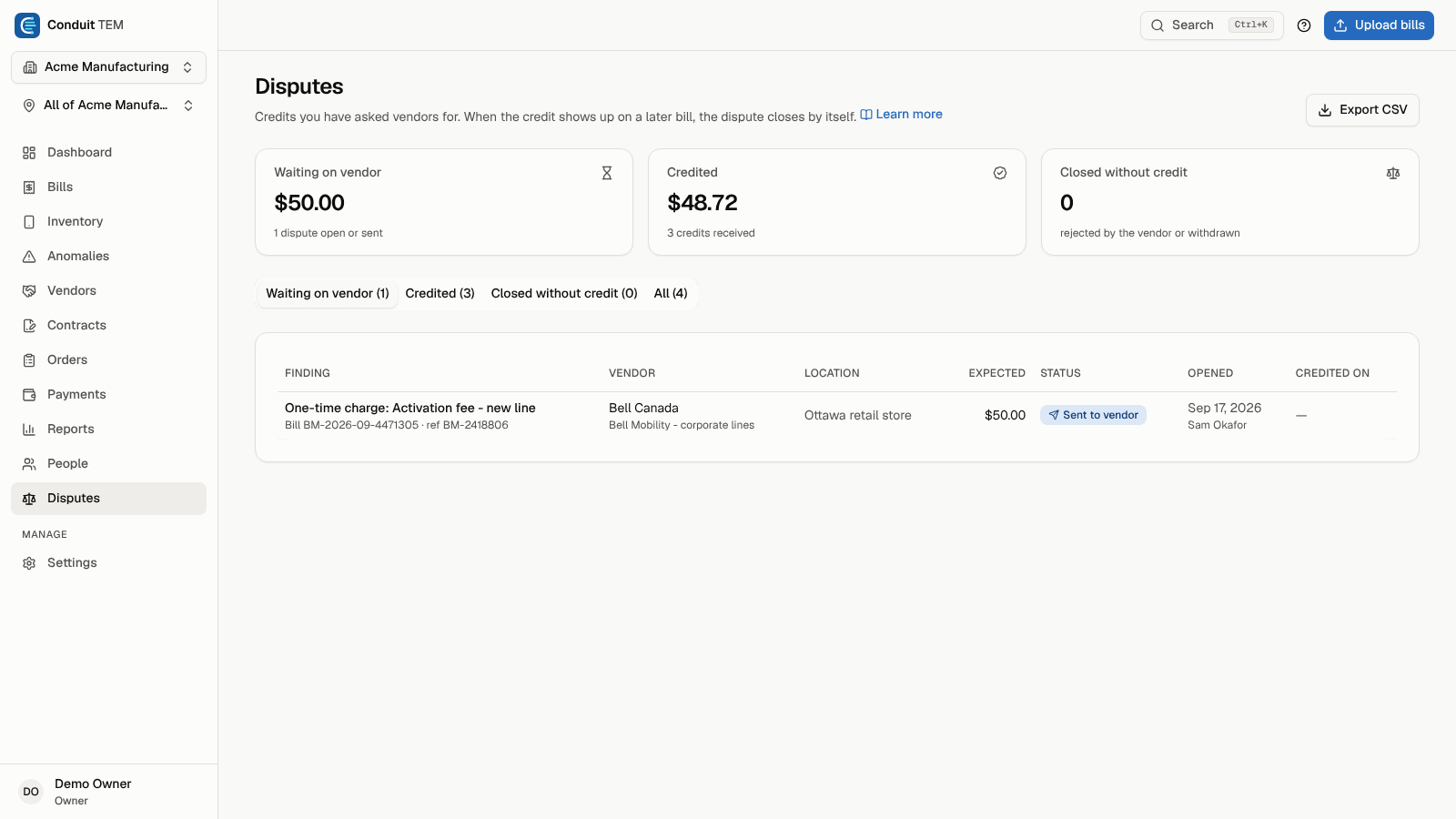
The Disputes page shows:
- Waiting on vendor: what you're still owed, across open and sent disputes.
- Credited: what vendors have given back.
- Closed without credit: how many were rejected or withdrawn.
Use the tabs (Waiting on vendor, Credited, Closed without credit, All) to filter the list. Select a row to see the dates, the vendor reference, links to the finding, the bill and the line, and notes.
How credits are matched automatically
When a later bill on the same account is posted, Conduit TEM looks for credit lines that match your open disputes:
- A credit line is a line with a negative amount, or one the carrier marks as a credit.
- It must be within one cent, or within 1%, of the Credit expected.
- Credits that recur on the account, such as a monthly multi-line discount, are ignored, so they never close a dispute by mistake.
- Each credit line confirms one dispute at most. A dispute about a particular line prefers a credit on that same line. Larger disputes are matched first.
- Only disputes that are Open or Sent to vendor are matched.
When a credit matches, the dispute becomes Credited (marked "matched automatically"), its finding becomes Resolved, and whoever opened the dispute gets an email (if they have Findings after a bill is posted turned on under Settings → Profile & security).
Confirm a credit by hand
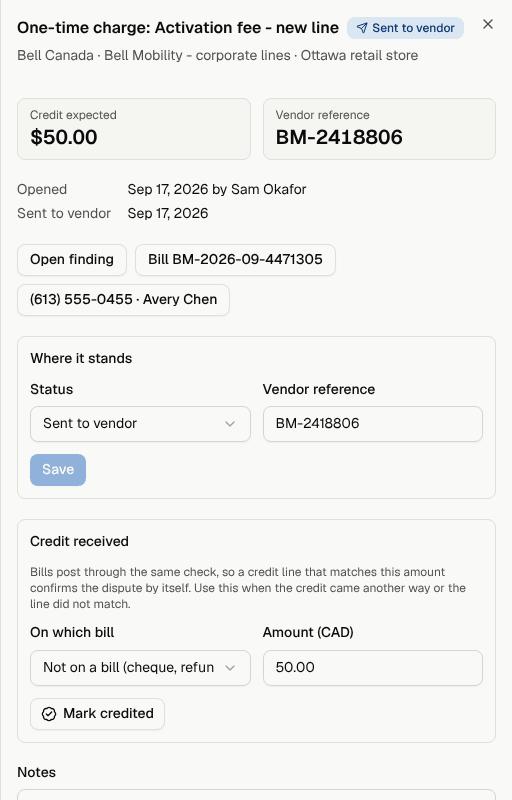
Sometimes the credit comes as a cheque or refund, or the bill shows it differently from the amount you expected. To confirm it yourself:
- Open the dispute on the Disputes page.
- Under Credit received, choose the bill it appeared on under On which bill, or Not on a bill (cheque, refund…).
- Enter the Amount you received.
- Select Mark credited.
See what you've recovered
Credits feed your savings numbers:
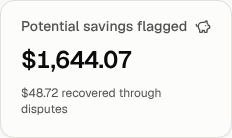
- On the Dashboard, the Potential savings flagged tile shows open findings and how much has been recovered through disputes.
- The Credited total on the Disputes page.
- The monthly summary email lists credits recovered.
- The monthly review slide deck has a credits recovered figure.