Your account manager
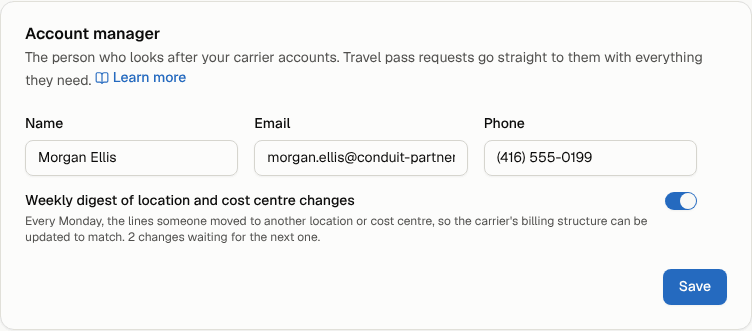
Name the person who looks after your carrier accounts, so travel passes reach them directly and they hear every Monday about lines moved to another location or cost centre.
In the app:Settings
Your account manager is the person, at Conduit or at your carrier, who looks after your carrier accounts. Conduit TEM sends them:
- every travel pass someone asks for, as it is asked;
- your answer when you accept or decline a proposal they shared (see Track your requests and proposals);
- when you turn it on, a weekly digest of location and cost centre changes: every Monday, the lines someone moved to another location or cost centre during the week, so the carrier's billing structure (sub-accounts, cost centre labels on the bill) can be updated to match.
Add your account manager
Owners and admins set it. When Conduit assigns your account manager, their name and email are filled in for you and only the phone and the digest can be changed here; ask your account manager to change the rest.
- Go to Settings → Organization and find Account manager.
- Enter their Name, Email and Phone.
- To send them the Monday digest, turn on Weekly digest of location and cost centre changes.
- Select Save.
What the digest contains
A change is recorded whenever someone sets a line's location or cost centre in Inventory. The Monday email lists each line once, with:
- the line, the carrier and the account number;
- where it was and where it is now (a line moved twice in a week shows where it started and where it ended up; a line moved and moved back is left out);
- who moved it and when.
Nothing is sent in a week without changes. While the digest is on, the card shows how many changes wait for the next Monday. Turning it on later starts from that week; older changes are not sent.